How It Works
Learn how to create and trade BOOBS NFTs while supporting women’s emancipation charities.
Three little things you need
Never touched crypto? No problem — our beginner guide explains all three with drawings and gets you set up in about ten minutes.
Creating Your NFT
Follow these simple steps to mint your NFT and start making an impact
Capture Your Image
Use your mobile camera or upload an image. Our AI automatically verifies the content to ensure it meets community guidelines.
- Take a photo directly with your device camera
- ML verification happens in under 3 seconds
- Retake or adjust until you're happy with the result
Choose Your Pasties Style
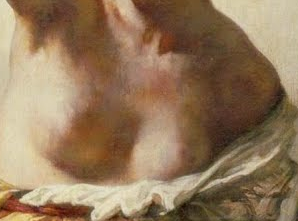
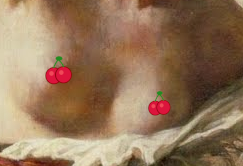
Select fun pasties designs to cover your preview image. This makes your NFT shareable while keeping the original exclusive to owners.
- Pick from heart, star, ribbon, or charity-themed designs
- Preview shows with pasties - only NFT owners unlock the original
- Customizable and playful for social sharing
- Creates mystery and exclusivity for collectors
Add Your Story
Personalize your NFT with your name, message, tags, and location. Share why this matters to you.
- Add a meaningful message (10-500 characters)
- Choose relevant tags for discoverability and campaign, series, or collection
- Optional geolocation to show global participation
- All metadata stored permanently and forever on Arweave
Set Royalty Distribution
Choose which women’s emancipation charity receives donations and set the percentage split for every future sale.
- Select from verified women’s emancipation charities
- Set charity donation percentage (5-90%)
- And for the seller (5%90%)
- Platform fee supports infrastructure (5%-90%)
- Every resale automatically donates to your chosen cause
Mint & Deploy
Connect your wallet, review your NFT, and mint it to the blockchain. Your NFT and metadata are stored permanently on Arweave.
- Connect wallet via RainbowKit (MetaMask, WalletConnect, etc.)
- Review all details before minting
- Pay minimal gas fees (typically under $2 on Polygon)
- Receive confirmation and shareable link instantly
Trading & Collecting
Buy, sell, and collect NFTs while automatically supporting charities
Browse Gallery
Explore NFTs from creators worldwide. Filter by charity, location, or popularity.
Purchase NFTs
Buy NFTs on marketplaces like OpenSea. Royalties automatically go to charity and creator.
Unlock Exclusive Content
As an owner, unlock the original uncensored image. Only you can access the full-resolution version.
Perpetual Charitable Impact
Every time an NFT is resold on secondary markets, the smart contract automatically distributes royalties, as exemple:
Rewards the artist for their contribution
Direct donation to your chosen cause
Maintains infrastructure and development
Example: If your NFT sells for 1 POL, you the creator receives 0.05 POL, the charity receives 0,90 POL, and the platform receives 0.05 POL. The at a second resell, the new owner will receive 0.1 POL, the charity receives 1,90 POL, and the platform receives 0.1 POL. This happens automatically on every sale, forever, infinitly !
Privacy & Security
Your content is protected with cutting-edge encryption technology
Encrypted Storage
Full-resolution images are encrypted before being stored on Arweave. Only the NFT owner can decrypt and view the original image.
Owner-Only Access
When you sell your NFT, access automatically transfers to the new owner. No manual intervention needed - it's all handled by smart contracts.
Ready to Make an Impact?
Join thousands of creators using NFTs to support women’s emancipation